Where did your workday actually go?
Imprint quietly records your Mac workday — meetings, apps, and focus — into a private, searchable timeline. 100% local. No cloud, no telemetry. Your data only ever leaves the device through tools you connect.
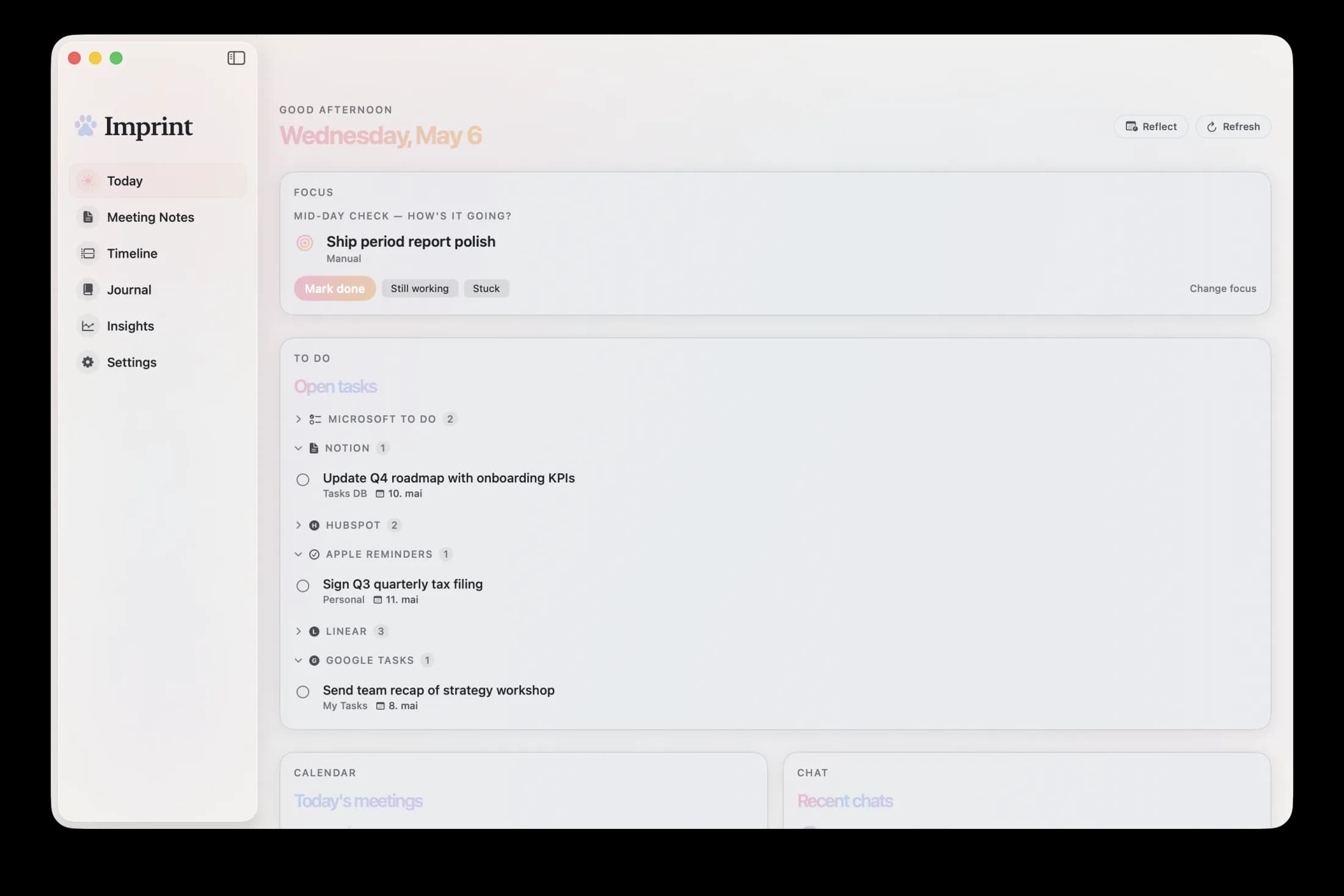
Every view of your day.
Today's plan, a live timeline, a written journal, and weekly insights — all from one quiet menu-bar app.
Works with the tools you already use
A quieter way to see your day.
Imprint runs in the background and gives you a honest record of your workday — without the meeting-ware bloat or attention tax.
Passive timeline
Apps, calendar, chat, and meetings stitched into one view. No manual logging, ever.
Classification that learns
Mark Netflix personal once — Imprint remembers forever. Work reports exclude it automatically.
Meetings, in your words
Bring your own AI for transcription and summary — Soniox, Claude, or notes from tools you already use.
Yours alone
SQLite on your Mac. No account, no cloud, no telemetry. Data only ever leaves through tools you connect.
Install once. Forget about it.
Install
One-click download. Grant accessibility and calendar access. Imprint starts watching in the background.
Keep working
No timers, no tags, no interruptions. Your timeline builds itself as you switch between apps and meetings.
Look back
Open the menu bar any time to see today at a glance. Daily and weekly digests arrive without asking.
Every app. Every meeting. One honest view.
Imprint tracks the windows you touch and stitches in calendar events, chat from the tools you use, and your meetings. No pings. No prompts. Just a timeline that's actually complete.
- Calendar (Google, Outlook, iCloud) via EventKit
- Chat & calls (Slack, Microsoft Teams)
- Project tools (Linear, GitHub)
- Window-level activity via macOS accessibility
Teach it once. It remembers forever.
Mark a single block as personal and Imprint offers to make it permanent for that app. Rules apply at write time, so reports are clean from then on — no re-labeling, no re-reviewing.
- Per-app, per-pattern, or time-based rules
- Priority-ordered: manual → app → pattern → time
- Work reports exclude personal; your view keeps it
Bring your own AI for transcription and summary.
Record meetings locally on your Mac and Imprint hands the audio to your chosen AI. Soniox transcribes (Norwegian and English), Anthropic Claude summarizes, and the result lives in your timeline next to the work that came out of the meeting. Your keys, your accounts — Imprint never sees the data.
- Soniox for transcription (your API key)
- Anthropic Claude for summary (your API key)
- Or import notes from any other tool you use
- Audio stays on-device; only the audio you authorize is sent
You started at 08:42 in your editor, working through the auth refactor. A short product sync at 10:30 broke the stretch — the meeting transcript and summary were waiting when you got back.
Shipped the rule-priority refactor · cleared the inbox · wrapped the timeline rewrite.
Your day. Only yours.
Imprint is built on a simple idea: if your activity data never leaves your device, it can't be misused, breached, or sold.
Local-first by design
Everything lives in a SQLite file on your Mac, readable only by you. No sync server exists.
No telemetry. No accounts.
We don't track usage. You don't sign up. There's nothing to log in to.
You control connections
Data only ever leaves your Mac when you connect a tool yourself — and it goes from your machine straight to that tool, not through us.
Minimum data, always
Window titles truncated. Email bodies never captured. Sender domain only — no full addresses.
Questions, answered.
See where your time actually went.
Imprint is live on the Mac App Store. One click to install, automatic updates, and your day stays entirely on your Mac.